Rakuten travel reservation for Japanese
Accommodation reservation method
- Login to Rakuten
- Access to Rakuten Travel
- Enter accommodation details and search
- Select your favorite plan from the list
- Reserve
1.Login to Rakuten
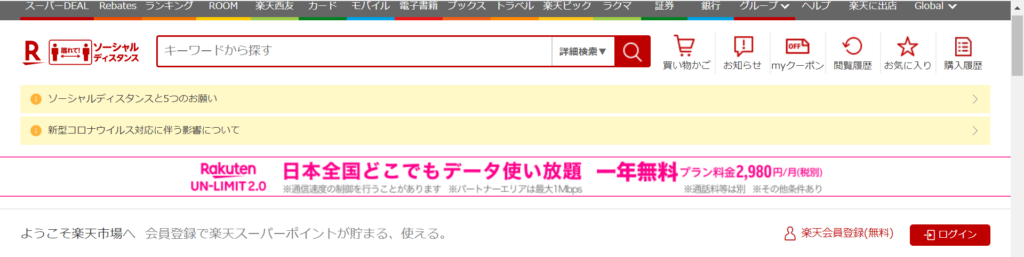
To make a reservation for Rakuten Travel, you must log in to Rakuten and register as a new member (free).
Click here for how to register ↓
You will be able to make a hotel reservation by logging in after completing member registration.
Click here to signup and Press the button to login → ログイン ↓
2.Access to Rakuten Travel
Rakuten Travel Site
For reference, access the Rakuten Travel site from the hotel introduction blog (bottom).
3.Enter accommodation details and search
Enter the accommodation details in the order of 1-7 below.
- Select domestic accommodation
- Select check-in date
- Select checkout date
- Enter the number of rooms
- Enter the number of parsons
- Enter the number of children
- Press search button
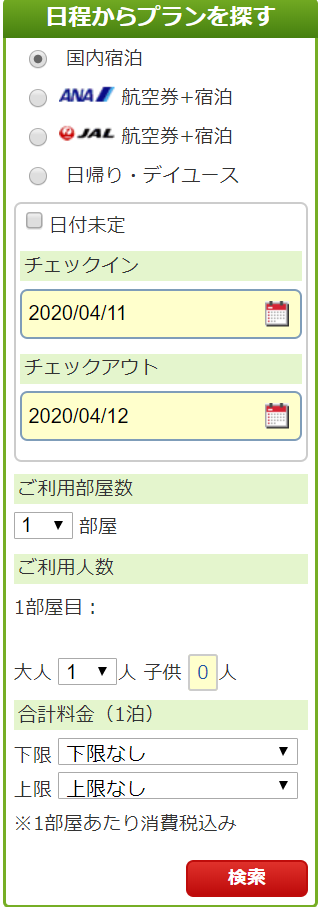
国内宿泊:Select when staying in Japan
チェックイン:Check-in date
チェックアウト:Checkout date
ご利用部屋数:Number of rooms
1部屋目:Enter the contents of the first room
ご利用人数:Number of parsons
大人、子供:Adult,Child
合計料金:Total fee
検索: Accommodation search
4.Select your favorite plan from the list
Press the reservation button of your favorite plan and go to the reservation screen.
※Note
- 【65歳以上限定】It is a plan that can be chosen by those over 65
- 【深夜割】Check-in time is late plan
- 禁煙 It is a plan that does not smoke in the room
- 喫煙 It is a plan that you can smoke in the room
- シングルルーム Bed is one plan
- ツインルーム Bed is two plans
5.Reserve
If you can log in, the accommodation information will be automatically entered. Enter reservations in the order of 1-4 below.
- Select check-in time
- Check rates
- Enter payment method
- Press the reservation button to reserve